Delivered either online or on-site, our instructor-led MS Teams training courses utilize interactive, hands-on exercises to demonstrate how to leverage MS Teams for facilitating dynamic online meetings and live events.
MS Teams training is offered as "online live training" or "onsite live training." The online live format, also referred to as "remote live training," is conducted via an interactive remote desktop connection. Alternatively, onsite live training can be provided directly at your customer premises in Prague or at NobleProg corporate training centers located in Prague.
Please note that MS Teams is also widely known as Microsoft Teams.
From Prague Main Train Station (Praha hlavní nádraží)
Take tram 9 from Hlavní nádraží toward Sídliště Řepy.
Get off at Újezd.
Walk about 10 minutes toward Malostranské náměstí / Prokopská.
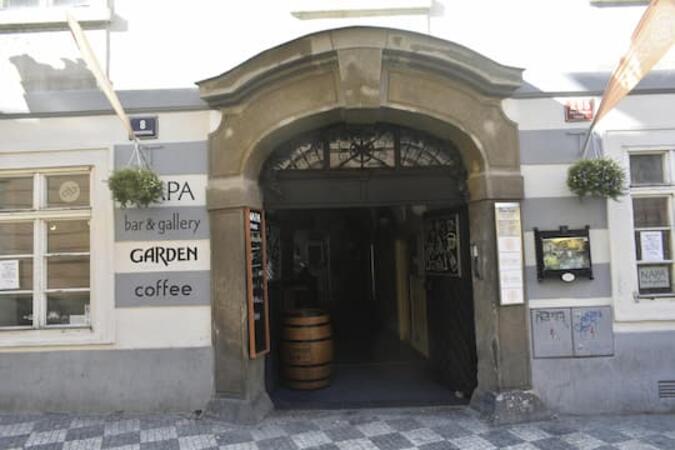
Continue along Prokopská to 296/8.
Alternative: Take the metro C from Hlavní nádraží → Muzeum, change to metro A → Malostranská, then walk across Malá Strana. This involves more walking.
From Prague Bus Station — Florenc
Take metro B from Florenc toward Zličín.
Get off at Můstek.
Change to metro A toward Nemocnice Motol.
Get off at Malostranská.
Walk approximately 10–15 minutes to Prokopská 296/8.
This instructor-led training in Prague guides beginner users through the capabilities of Microsoft Teams and Forms. Learners will develop the skills to manage channels, construct digital forms, and synchronize these tools to create efficient data collection workflows and enhanced team communication in an interactive setting.
Boost your productivity with this Microsoft Teams training in Prague. Discover how to navigate teams, automate tasks via Power Automate, and streamline collaboration using integrated Microsoft 365 tools. This course is perfect for users seeking practical skills to optimize their real-world workflows.
Prepare for the MS-721 exam through this hands-on training in Prague, which focuses on managing Microsoft Teams collaboration, voice, and security systems. Gain the ability to configure policies, enforce governance, and troubleshoot in enterprise environments to strengthen your administrative capabilities.
This instructor-led, live training in Prague (online or onsite) is aimed at intermediate-level professionals who wish to optimize their use of Microsoft Teams and Read AI to enhance meeting outcomes and workflow efficiency.
By the end of this training, participants will be able to:
Configure and optimize Microsoft Teams for efficient meetings.
Integrate and personalize Read AI within Teams.
Use AI-powered features like summaries, transcripts, and participation analytics.
Improve collaboration, task tracking, and follow-up actions post-meeting.
Apply advanced strategies and use cases for sustained productivity.
This instructor-led, live training in Prague (online or onsite) is aimed at beginner-level business professionals who wish to use Microsoft Teams along with its powerful integrations with Outlook, OneDrive, and Lists for effective team collaboration and productivity.
Navigate the Teams interface, create teams and channels, and manage communication through posts, chats, and meetings.
Schedule and join Teams meetings via both Teams and Outlook, use in-meeting collaboration tools such as screen sharing, and manage meeting notes and recordings.
Efficiently manage emails, calendars, and Teams meetings using Outlook, and shift between email and Teams communication workflows smoothly.
Use OneDrive for cloud storage, sharing, and collaborating on documents in real time within Teams and Outlook, including file version management and recovery.
Create, customize, and manage Lists to organize tasks and projects, collaborate with team members, and integrate Lists with Outlook and OneDrive.
Seamlessly connect Teams with Outlook, OneDrive, and Lists to create a productive and integrated work environment, reducing redundant tasks and improving workflow efficiency.
Read more...
Last Updated:
Testimonials (2)
i learned alot
Rose-Ann - Heart FM
Course - Microsoft Teams: Practical Collaboration, Productivity, and Automation
The engagement and the practical examples we did as a group to get more understanding of the topic
ISABELLA - Sedibeng TVET College
Course - Microsoft Teams, Outlook, OneDrive, and Lists Integration
Online Microsoft Teams training in Prague, MS Teams training courses in Prague, Weekend MS Teams courses in Prague, Evening MS Teams training in Prague, Microsoft Teams instructor-led in Prague, MS Teams private courses in Prague, MS Teams one on one training in Prague, Evening Microsoft Teams courses in Prague, Online MS Teams training in Prague, Microsoft Teams instructor-led in Prague, Weekend Microsoft Teams training in Prague, Microsoft Teams trainer in Prague, Microsoft Teams coaching in Prague, Microsoft Teams on-site in Prague, Microsoft Teams boot camp in Prague, Microsoft Teams instructor in Prague, Microsoft Teams classes in Prague