Available both online and onsite, these instructor-led live Tableau training courses employ interactive discussion and hands-on practice to demonstrate how to leverage Tableau for creating dashboards, worksheets, and other visualizations, ultimately providing clearer insights into your data.
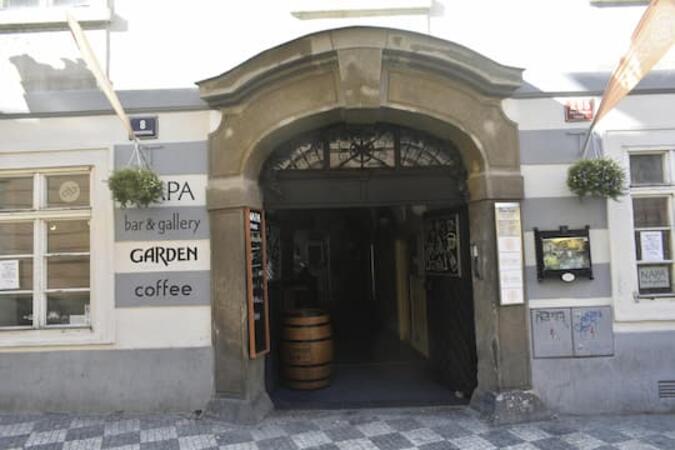
Tableau training is offered as either "online live training" or "onsite live training." The online live training (also referred to as "remote live training") is delivered through an interactive, remote desktop. Onsite live training can be conducted locally at customer premises in Prague or at NobleProg corporate training centers located in Prague.
From Prague Main Train Station (Praha hlavní nádraží)
Take tram 9 from Hlavní nádraží toward Sídliště Řepy.
Get off at Újezd.
Walk about 10 minutes toward Malostranské náměstí / Prokopská.
Continue along Prokopská to 296/8.
Alternative: Take the metro C from Hlavní nádraží → Muzeum, change to metro A → Malostranská, then walk across Malá Strana. This involves more walking.
From Prague Bus Station — Florenc
Take metro B from Florenc toward Zličín.
Get off at Můstek.
Change to metro A toward Nemocnice Motol.
Get off at Malostranská.
Walk approximately 10–15 minutes to Prokopská 296/8.
This instructor-led training in Prague focuses on the essentials of Tableau Explorer for business users. Participants will learn to navigate dashboards, apply filters, create custom views, and collaborate through comments and subscriptions, developing practical skills for effective data exploration within Tableau Cloud.
This instructor-led, live training in Prague (online or onsite) is aimed at beginner-level to intermediate-level data analysts who wish to gain practical knowledge of Tableau Prep Builder and the essential mapping functionalities in Tableau to address data preparation and visualization challenges.
By the end of this training, participants will be able to:
Connect to a variety of data sources, including cloud-based and local files, and manage live and extracted data connections.
Perform data fusion and combination using advanced joining techniques to merge multiple datasets from different sources for better analysis.
Create calculated fields and perform operations to manipulate and analyze data dynamically.
Publish and update prepared data to Tableau Server or Tableau Online, enabling automated updates and scheduling.
Create basic and advanced maps with geographic data, including filled maps, density maps, and dual-axis maps.
Apply mapping techniques to solve real-world business problems by creating interactive, detailed geographic visualizations.
This instructor-led live training in Prague (online or on-site) is designed for beginner to intermediate data analysts who want to use Tableau Desktop to transform raw data into meaningful insights through graphical representations such as charts, graphs, maps, and tables.
By the end of this training, participants will be able to:
Connect to multiple data sources (Excel, CSV, databases, cloud-based) and understand the differences between live and extract connections.
Prepare and clean data for analysis, including renaming fields, handling null values, and combining datasets through joins and blends.
Create basic visualizations such as tables, bar charts, line charts, and maps, and apply filters to refine data presentations.
Develop intermediate visualizations including geographic maps, dual-axis charts, and use hierarchies, groups, and sets to enhance analysis.
Build calculated fields and parameters to create dynamic and customized visualizations based on user inputs and logic functions.
Design interactive dashboards and stories, incorporating multiple visualizations and filters to tell a cohesive narrative.
Upon completion of this training, participants will be equipped with the following capabilities:
This live, instructor-led training in Prague (online or onsite) targets intermediate-level digital forensic and cybersecurity professionals aiming to gain comprehensive knowledge and practical skills in using Tableau Forensic Imager for digital forensic tasks.
Grasp the significance and function of digital forensic imaging within investigations.
Utilize Tableau Forensic Imager to create forensically admissible disk images.
Implement industry best practices for the handling and preservation of digital evidence.
Navigate the software interface to configure, run, and manage imaging operations.
Verify and analyze forensic images to confirm data integrity and courtroom admissibility.
This instructor-led live training in Prague (online or onsite) is designed for data scientists and developers who wish to utilize and integrate SQL, Python, and Tableau to perform complex data analysis, processing, and visualization.
By the end of this training, participants will be able to:
Set up the necessary environment to perform data analysis with SQL, Python, and Tableau.
Understand the key concepts of software integration (data, servers, clients, APIs, endpoints, etc.).
Get a refresher on the fundamentals of Python and SQL.
Perform data pre-processing techniques in Python.
Learn how to connect Python and SQL for data analysis.
Create insightful data visualizations and charts with Tableau.
This instructor-led live training in Prague (available online or onsite) targets data analysts and data scientists aiming to search, analyze, and visualize data using Tableau.
By the conclusion of this course, participants will be capable of:
Connecting to diverse data sources.
Editing and saving data sources.
Gaining fluency in Tableau terminology.
Utilizing the Tableau interface and workflow to generate impactful visualizations.
Performing calculations such as arithmetic, custom aggregations, ratios, date math, and table calculations.
Depicting data through a variety of visualization formats.
Developing dashboards to distribute visual insights.
This instructor-led live training in Prague (online or onsite) is aimed at advanced-level data professionals who wish to use Tableau to build complex visualizations, optimize dashboards, and perform advanced data analysis.
By the end of this training, participants will be able to: install and configure Tableau for advanced use, create advanced calculations, design interactive dashboards, and optimize performance.
This four-day training in Prague transitions beginners from mastering core Tableau features to creating advanced data visualizations. Participants will learn to integrate data sources, develop complex calculations, build interactive dashboards, and publish actionable insights. The course includes hands-on labs and a culminating project designed to elevate your analytical capabilities.
Read more...
Last Updated:
Testimonials (3)
The joyful atmosphere, the openness of the knowledgeable trainer who offered us a lot of tips and tricks.
Ionut - MOLSONCOORS GLOBAL BUSINESS SERVICES SRL
Course - From Tableau Beginners to Advanced User
The Practice, I created a dashboard is super easy, once time understand the subjects.
Luis Fernando - si
Course - Tableau Fundamentals to Advanced
Great knowledge of the content, good examples, great rapport with the class and very understanding if anyone needed extra help. Willing to stop and go back to explain things again and in a manner in which could be easily understood.
Online Tableau training in Prague, Tableau training courses in Prague, Weekend Tableau courses in Prague, Evening Tableau training in Prague, Tableau instructor-led in Prague, Tableau instructor in Prague, Tableau instructor-led in Prague, Tableau classes in Prague, Online Tableau training in Prague, Weekend Tableau training in Prague, Tableau trainer in Prague, Evening Tableau courses in Prague, Tableau private courses in Prague, Tableau one on one training in Prague, Tableau boot camp in Prague, Tableau coaching in Prague, Tableau on-site in Prague