Whether delivered virtually or in person, our instructor-led SolidWorks workshops focus on interactive, hands-on practice, guiding participants to sketch and create detailed drawings that bring their ideas and concepts to life
We offer SolidWorks instruction through both “online live training” and “onsite live training.” Online live training, also known as “remote live training,” utilizes an interactive remote desktop to facilitate engagement. Meanwhile, onsite sessions can be conducted at your facility in Prague or within NobleProg’s corporate training centers located in Prague.
From Prague Main Train Station (Praha hlavní nádraží)
Take tram 9 from Hlavní nádraží toward Sídliště Řepy.
Get off at Újezd.
Walk about 10 minutes toward Malostranské náměstí / Prokopská.
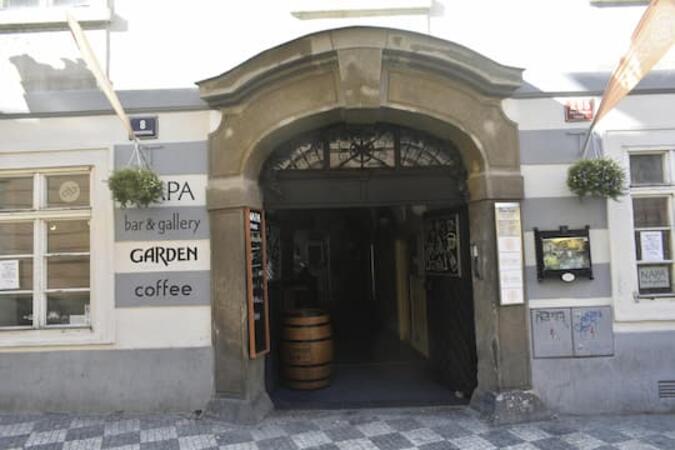
Continue along Prokopská to 296/8.
Alternative: Take the metro C from Hlavní nádraží → Muzeum, change to metro A → Malostranská, then walk across Malá Strana. This involves more walking.
From Prague Bus Station — Florenc
Take metro B from Florenc toward Zličín.
Get off at Můstek.
Change to metro A toward Nemocnice Motol.
Get off at Malostranská.
Walk approximately 10–15 minutes to Prokopská 296/8.
This instructor-led, live training in Prague (online or onsite) is designed for intermediate to advanced SolidWorks users who wish to deepen their modeling skills, master advanced features, and improve design efficiency and accuracy.
By the end of this training, participants will be able to:
Create complex parts, assemblies, and configurations efficiently.
Use advanced modeling tools such as sweeps, lofts, and surfaces.
Apply design tables, equations, and parametric controls.
Perform simulations and motion studies to validate designs.
This instructor-led, live training in Prague (online or onsite) is aimed at beginner-level users who wish to explore the core functionalities of Solidworks PDM and its applicability to their organization's design file management requirements.
By the end of this training, participants will be able to:
Understand the key features and benefits of Solidworks PDM.
Navigate the Solidworks PDM interface and workflows.
Perform basic end-user tasks such as file check-in/check-out, versioning, and searching.
Explore administrative functionalities, including vault configuration, user permissions, and workflow customization.
Assess the potential implementation of Solidworks PDM across multiple company sites.
This instructor-led, live training in Prague (online or onsite) is aimed at intermediate-level mechanical engineers and CAD designers who wish to use SolidWorks to design and implement industrial automation systems.
By the end of this training, participants will be able to:
Install and configure SolidWorks for automation design.
Design, simulate, and analyze industrial automation components and systems.
Export designs for real-world implementation in industrial settings.
This instructor-led, live training in Prague (online or onsite) is aimed at intermediate-level to advanced-level mechatronics, mechanical, electrical, and electronics engineers who wish to further enhance their SolidWorks knowledge by mastering advanced part modeling, as well as other advanced features and shaping capabilities of SolidWorks.
By the end of this training, participants will be able to:
Use multi-body solids, sweeping and lofting features, and more advanced SolidWorks features.
Utilize the assembly modeling capabilities of SolidWorks.
Master the advanced modeling features of SolidWorks.
This instructor-led, live training in Prague (online or onsite) is aimed at intermediate-level to advanced-level mechatronics, mechanical, electrical, and electronics engineers who wish to further enhance their SolidWorks knowledge by mastering advanced part modeling, as well as other advanced features and shaping capabilities of SolidWorks.
By the end of this training, participants will be able to:
Use multi-body solids, sweeping and lofting features, and more advanced SolidWorks features.
Utilize the assembly modeling capabilities of SolidWorks.
Master the advanced modeling features of SolidWorks.
This instructor-led live training, available online or onsite in the Czech Republic, is designed for mechatronics, mechanical, electrical, and electronics engineers who wish to use SolidWorks to sketch and produce detailed drawings of their ideas and concepts.
By the end of this training, participants will be able to:
Understand the fundamentals of SolidWorks.
Design and create parts, assemblies, and 3D models with SolidWorks.
Read more...
Last Updated:
Testimonials (1)
The practices and the fact that you can share your screen for guidance from the trainer
Ramon Vann Cleff - DOST - Advanced Science and Technology Institute
Online SolidWorks training in Prague, SolidWorks training courses in Prague, Weekend SolidWorks courses in Prague, Evening SolidWorks training in Prague, SolidWorks instructor-led in Prague, SolidWorks private courses in Prague, SolidWorks classes in Prague, Online SolidWorks training in Prague, SolidWorks one on one training in Prague, SolidWorks boot camp in Prague, SolidWorks instructor-led in Prague, SolidWorks instructor in Prague, SolidWorks trainer in Prague, Weekend SolidWorks training in Prague, SolidWorks on-site in Prague, Evening SolidWorks courses in Prague, SolidWorks coaching in Prague